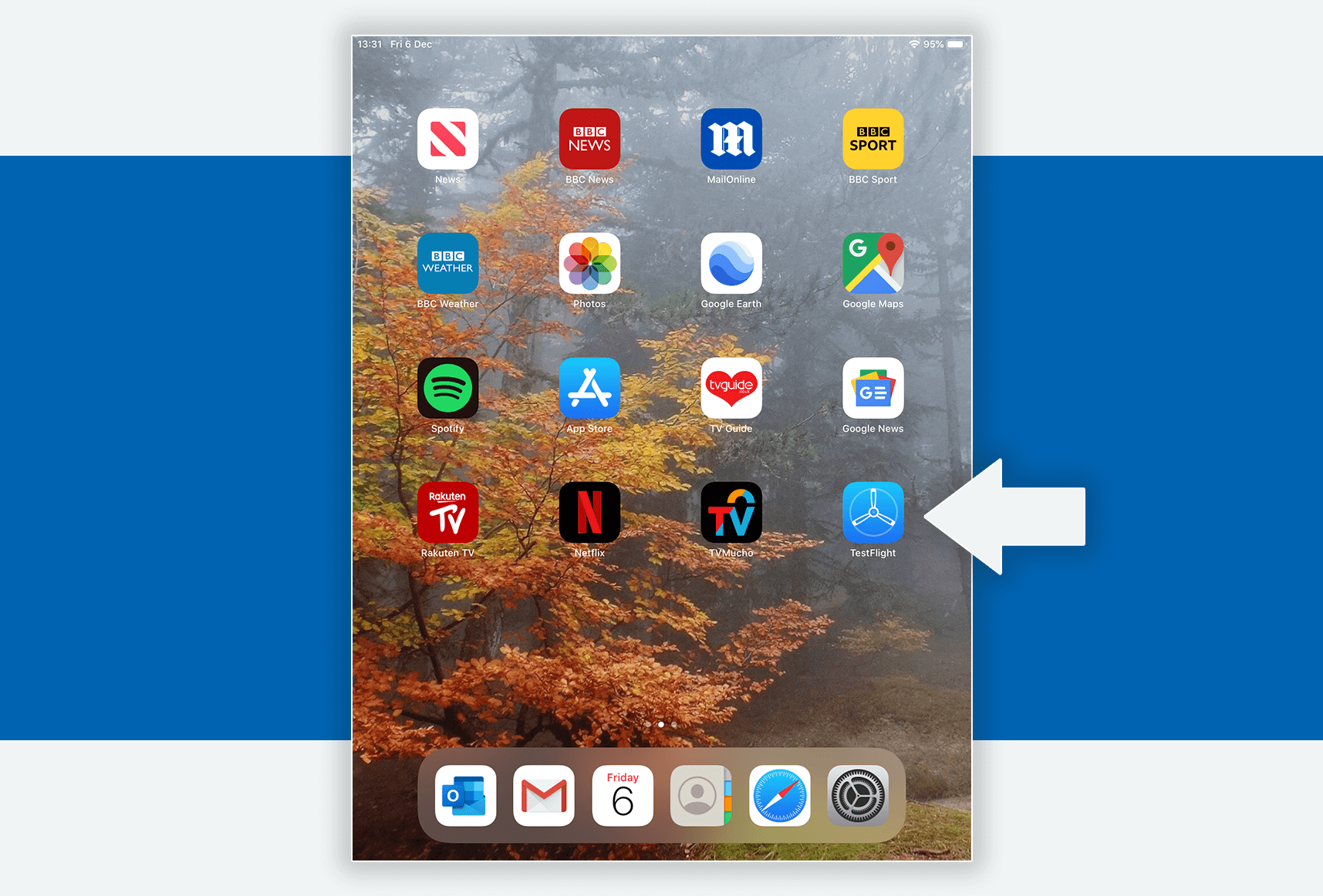
1. To start, please check your email for your invitation from Fat Fish. This may have gone into your spam folder. Within the email is a link to the BETA store to download an app called TestFlight. Please click on this link to install TestFlight.
2. Once Testflight has been installed. Please open the app from your home page. Please make sure your battery has more than 15% charge before moving on.
3. Within TestFlight, please click on the blue ‘install’ button to start the installation process for LifeLight
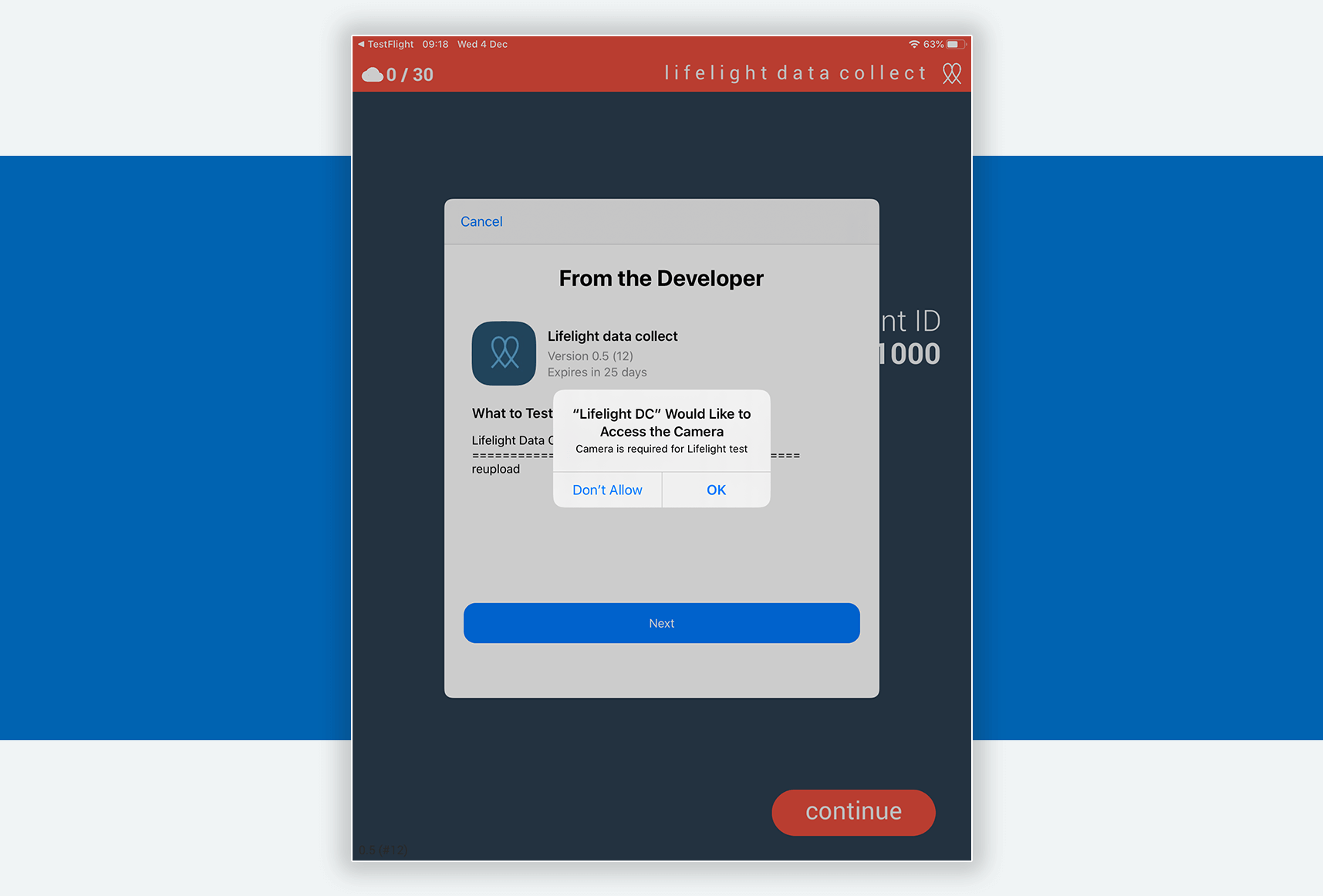
4. After LifeLight has finished installing, it should automatically open and look like the below picture. When prompted, please allow LifeLightDC to access your camera by selecting ‘OK’. Press ‘Next’ & finally ‘Start Testing’ on the next two screens.
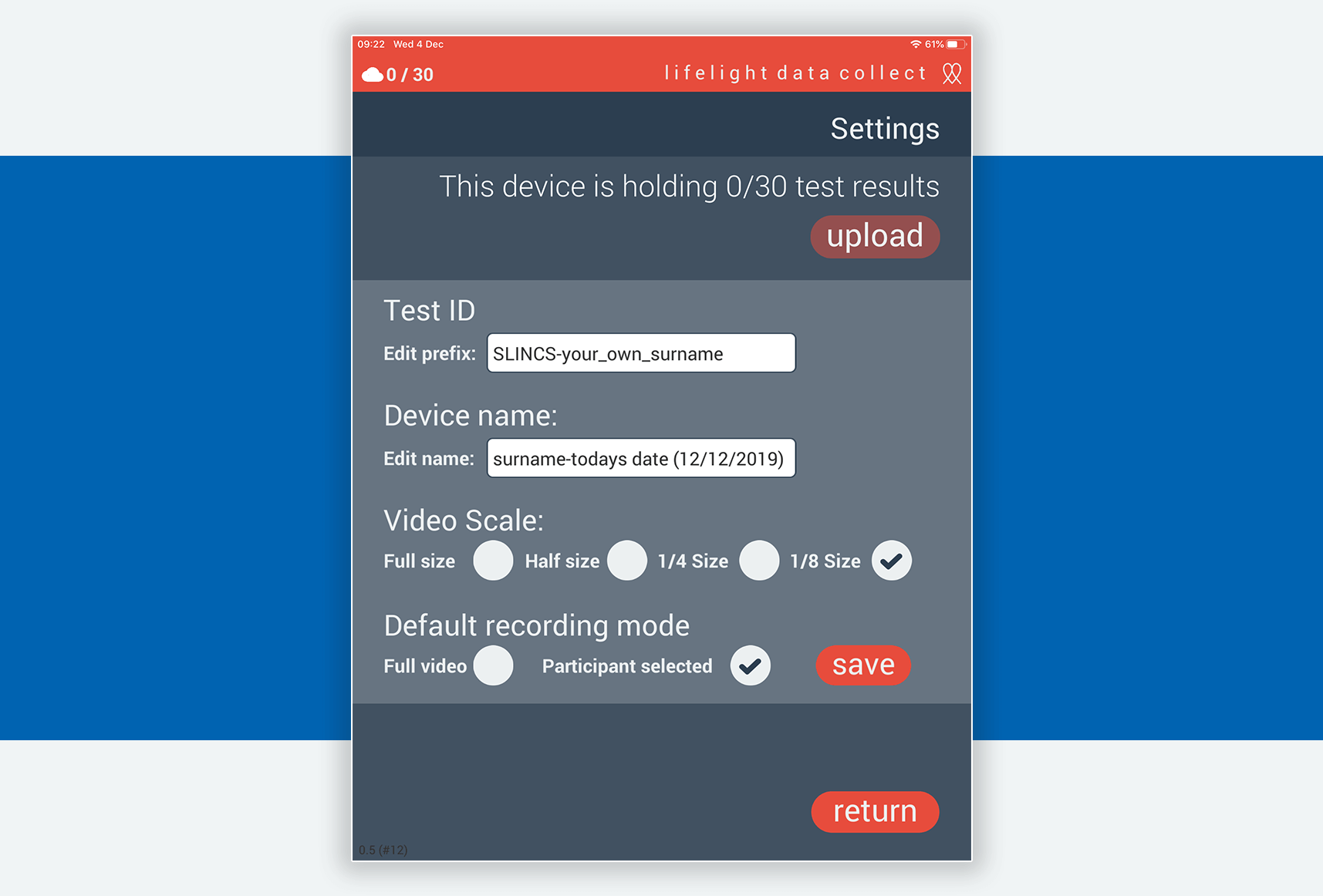
5. When you open the App for the first time, you will need to enter a Device name. Please call 08082 808 048 to obtain this.
Please leave Test ID empty & change recording mode to ‘Participant Selected’ Click Save.
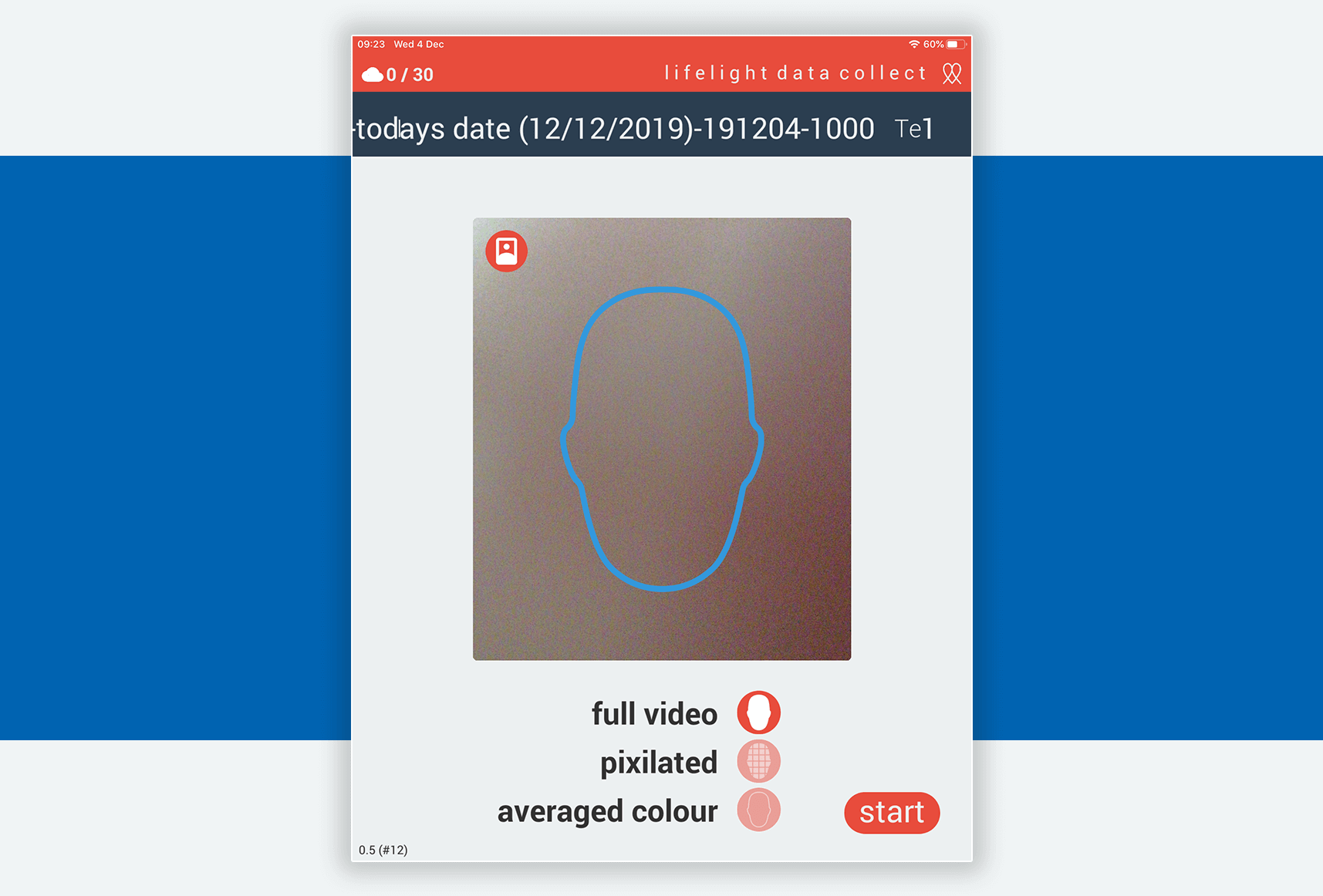
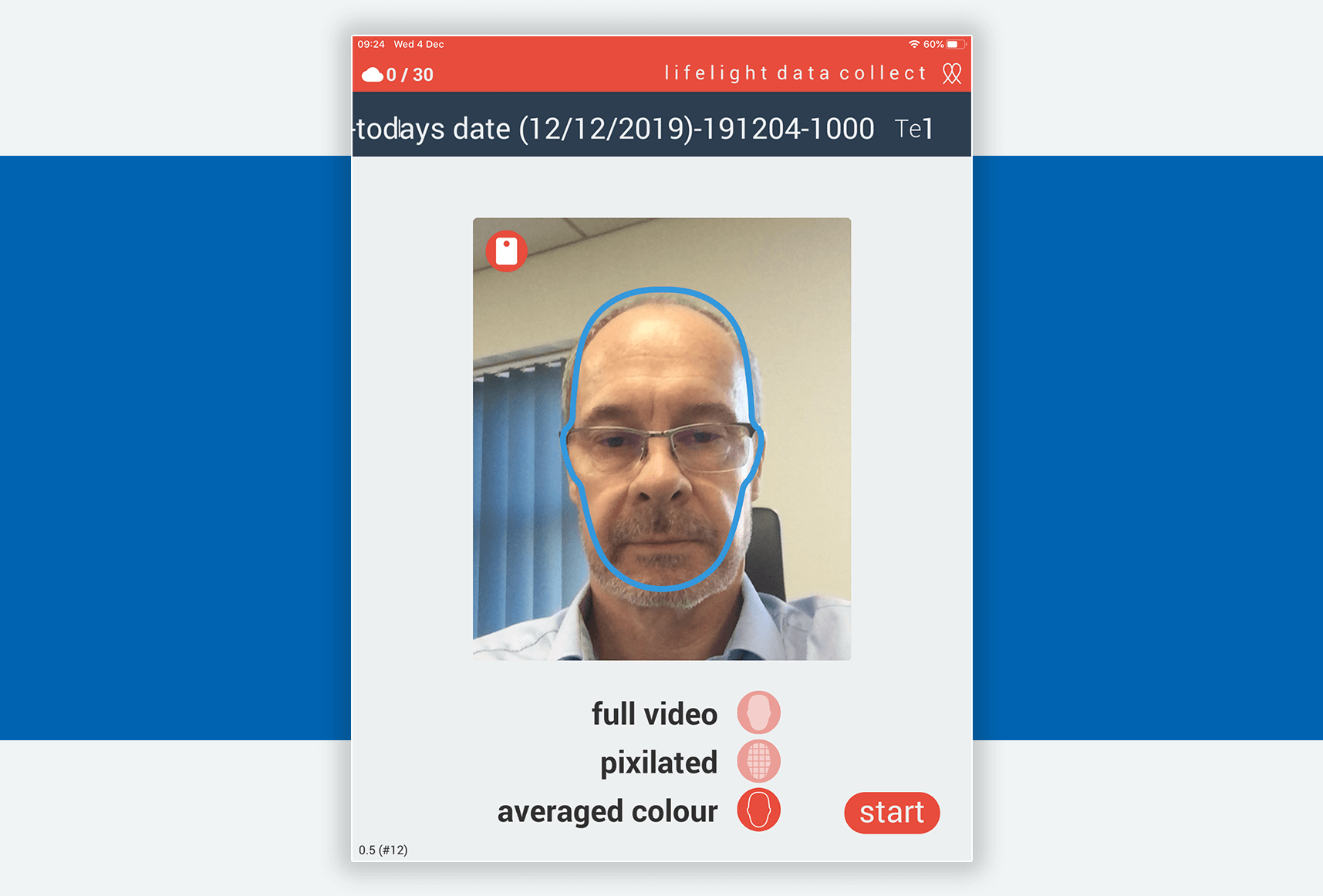
6. To test, please click the red icon in the top left corner of the camera square. This will change to your front facing camera. Please also select ‘averaged colour’ in the bottom list.
7. When you are ready to begin, please prop the iPad up or place on a stand so it is stable. Your face should fill the blue outline and press ‘Start’ to begin.
Testing needs to be done daily.
8. During the test, there will be a countdown until the test is complete. Please keep the iPad still and your face within the blue lines. Once the test confirms successful, please click the ‘Save’ button. To test again, follow instructions from step 6
Technical Support
If you experience any issues with your device, uploading your data or any other technical aspects of the trial please call 08082 808 048 (Mon – Fri, 9:30am – 5:30pm) or email: [email protected].
If the test wasn’t successful, please try running it again. Make sure your iPad is propped up or on a stand so its still and your face fills the blue outline during the whole test.